DailyReportr+Construction field reports

Daily field reporting, made clear

Record the day. Protect the project.

DailyReportr+ gives construction teams one disciplined place for crews, labor, weather, safety, photos, signatures, and professional daily-report PDFs.

iPhone in the fieldiPad on siteWeb at your deskOffline-first when signal disappears
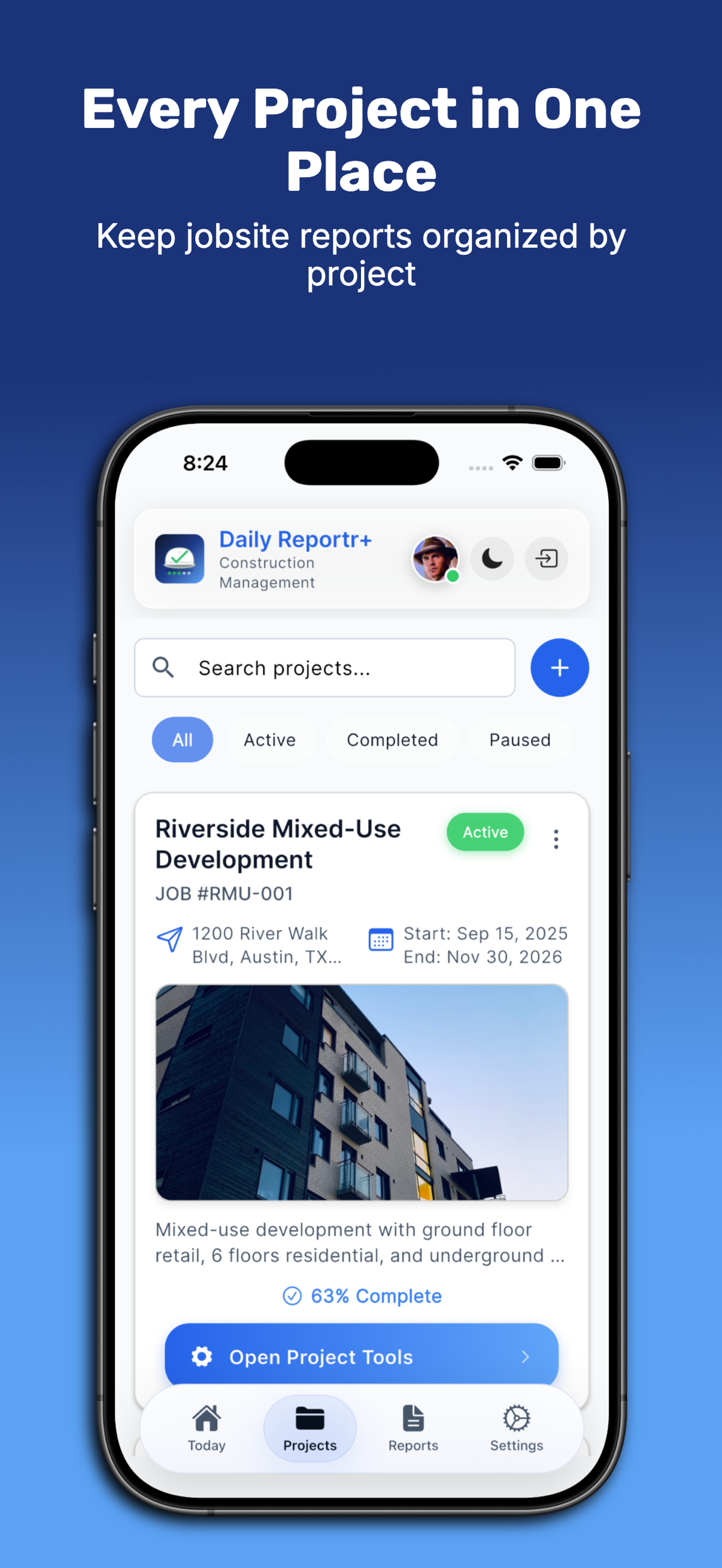
DailyReportr+ project list on iPhone
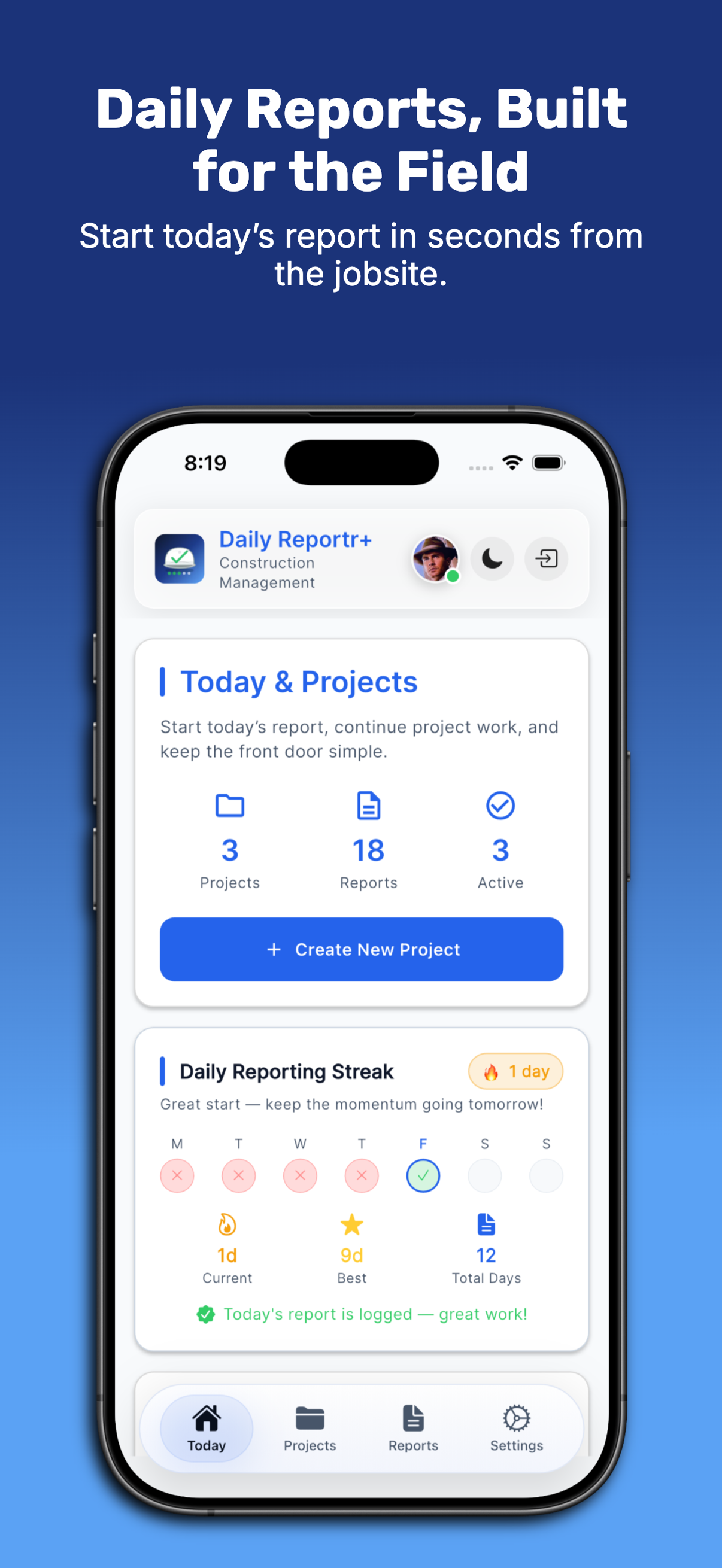
DailyReportr+ Today dashboard on iPhone
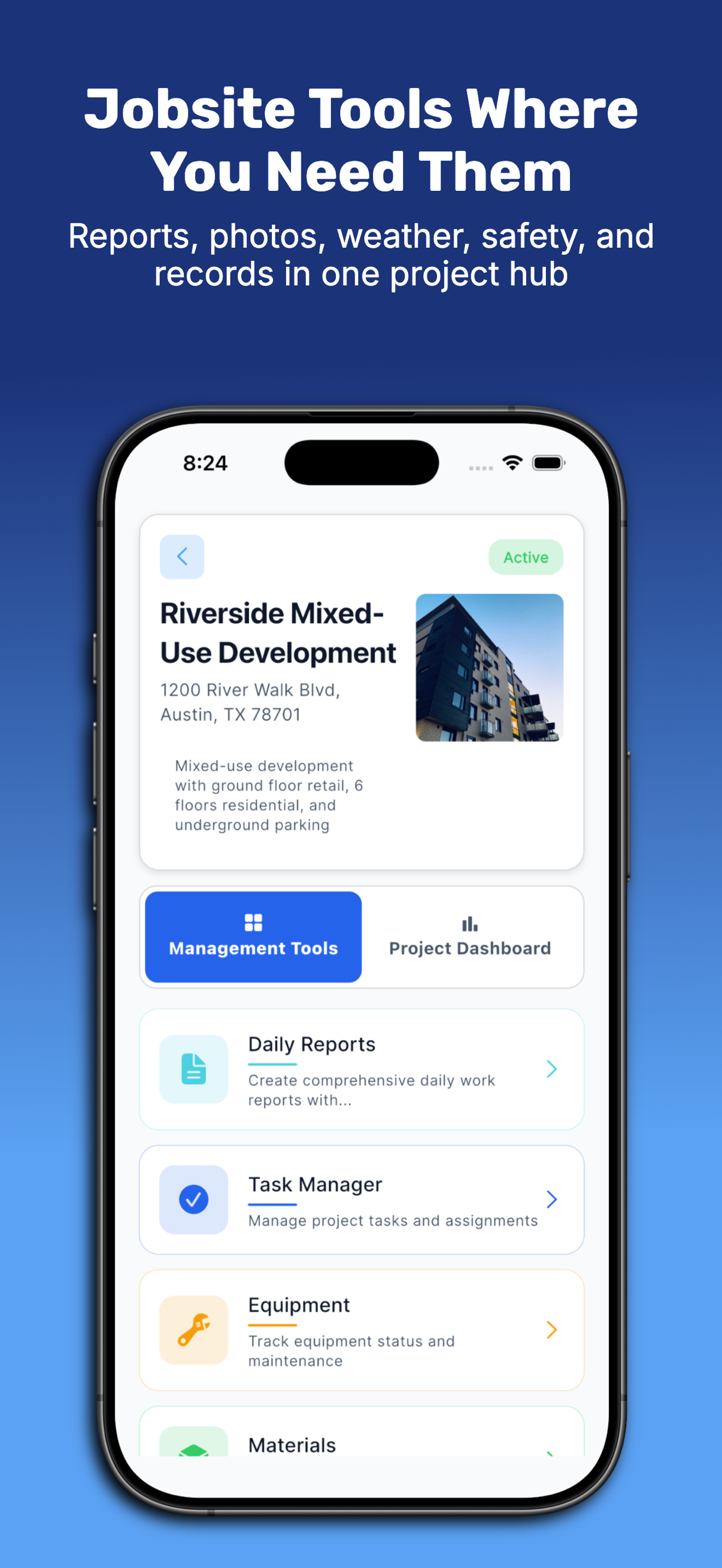
DailyReportr+ project tools on iPhone

The field-reporting problem

The day disappears faster than the record.

Crew counts live on paper. Photos stay in a camera roll. Weather, delays, visitors, and safety notes are reconstructed after the fact. DailyReportr+ turns the workday into one coherent report while the evidence is still available.

Built around the construction day

One project. One day. One dependable record.

DailyReportr+ keeps project context and field capture together, so the report grows from the work instead of being reconstructed at the end of the shift.

01 / Project first

Enter the job before you enter the data.

Project search, status, schedule, address, and completion context keep every report and attachment tied to the correct construction record.

  • Searchable project list
  • Clear active and completed states
  • One route into each project's tools
02 / Native iPad

Review the whole report without shrinking the work.

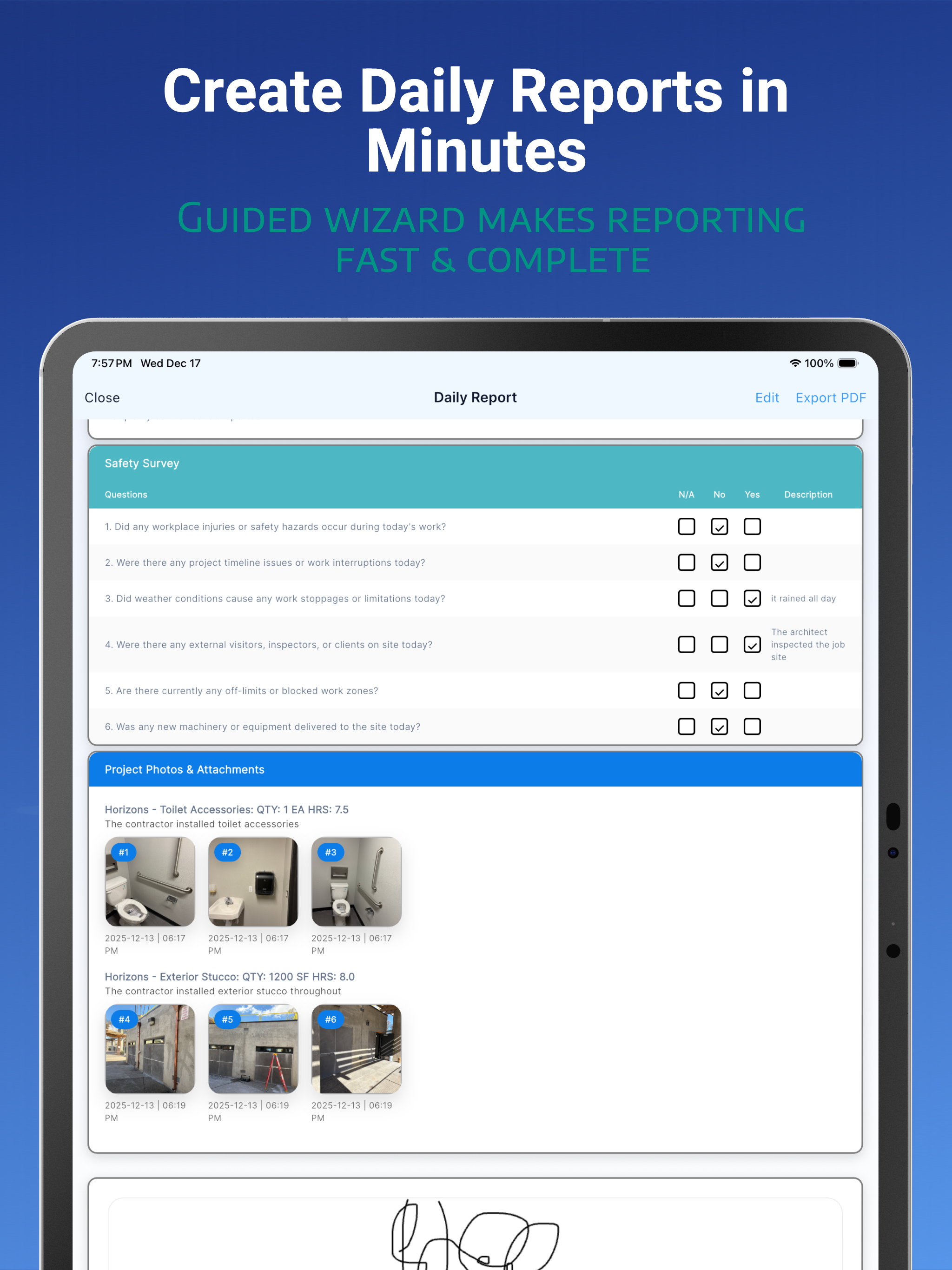
The iPad experience uses the larger canvas for safety answers, activity detail, project photos, signatures, and PDF review—not a stretched phone screen.

  • Full report sections at readable scale
  • Photo evidence beside the work it documents
  • Edit and export controls within reach
DailyReportr+ daily report review on iPad
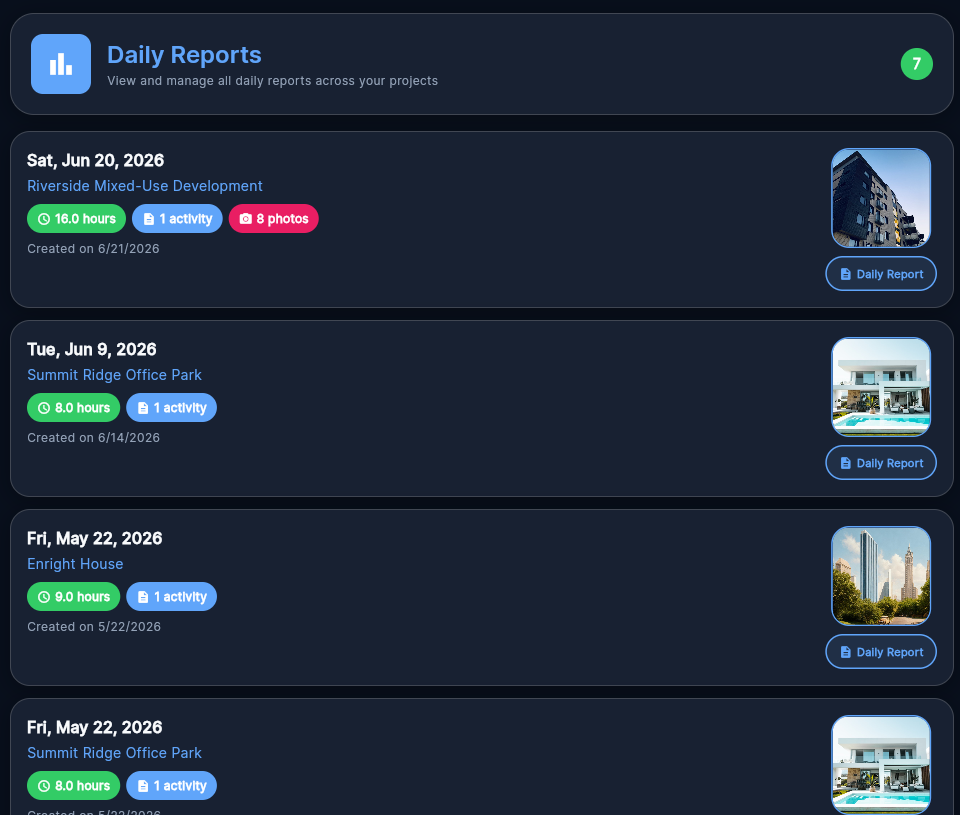
DailyReportr+ report history in the desktop browser app
03 / Desktop browser

Continue the record from the desk.

Open the browser app to review report history, project context, work hours, activities, and photo-backed records on a full desktop canvas.

  • Same signed-in project and report data
  • Private photos remain behind account access
  • No desktop installation required
Open the browser app

A disciplined reporting path

From field activity to issued report.

01

Choose the project

Enter the correct job first so every crew, activity, photo, weather condition, and observation belongs to one clear record.

02

Capture the day

Record labor, quantities, equipment, materials, visitors, interruptions, safety conditions, notes, and jobsite evidence while they are current.

03

Review before issue

Use a guided report path to check the work, confirm the project story, attach signatures, and close the gaps before delivery.

04

Export the record

Generate a professional, photo-rich PDF that is ready for the owner, contractor, architect, or permanent project file.

The construction day, covered

The field details a reliable daily report actually needs.

DailyReportr+ does not reduce the day to a generic note. It gives each part of the report the structure required to be useful later.

01

Daily record

  • Activities and quantities
  • Crew and labor hours
  • General notes and issues
02

Site conditions

  • Weather and limitations
  • Safety observations
  • Visitors and restricted areas
03

Field resources

  • Equipment tracking
  • Materials and deliveries
  • Tasks and checklists
04

Issued report

  • Jobsite photos
  • Digital signatures
  • Professional PDF export

The reporting story in your pocket

Not another blank daily-log form.

Every primary view answers a field question: what project is active, what happened today, what evidence belongs with it, and what is ready to issue.

Today and reporting rhythm in DailyReportr+ on iPhone

Today and reporting rhythm

Start the report while the day is still clear.

A calm Today view keeps projects, reports, active work, and reporting consistency together without turning the home screen into a wall of analytics.

Project organization in DailyReportr+ on iPhone

Project organization

Keep every field record with the right job.

Search projects, read status and schedule context, and enter the correct workspace before creating or reviewing a report.

Jobsite tools in DailyReportr+ on iPhone

Jobsite tools

Move from project context to field work.

Daily reports, tasks, equipment, materials, photos, weather, and safety records remain organized under the project that owns them.


Built by Lab Architect for construction teams.

No advertisingNo cross-company trackingNo sale of user data
DailyReportr+ app icon

Write it once. Issue it clearly.

Give every construction day a record worth keeping.

Download DailyReportr+ for iPhone and iPad and start the next field report while the work is still fresh.

Free to download. Subscription and lifetime purchase options are available in the app; localized terms are shown by Apple.